top of page


Knowledge is Power
Tips and tools for getting the most from HydroApps


Topics


_edited.jpg)

Recent Articles

Logging Pool Tests in the Mobile App
Learn how to log pool tests quickly and accurately using the HydroApps mobile app. This guide covers entering chemistry readings, receiving out-of-range alerts, logging chemical adjustments, calculating water balance, and finalizing pool tests directly from your phone.

Completing Facility Checklists in the Mobile App
Learn how to complete facility inspections and operational checklists directly from the HydroApps mobile app. This guide walks through starting checklists, documenting issues, assigning corrective actions, receiving alerts, and finalizing inspections from anywhere in your facility.

How to use the Body Selector Form Field
The new Body Selector question type helps staff mark injury locations directly on a body diagram inside HydroApps forms. This feature improves incident reporting accuracy, works in custom forms, and makes it easier to document and review first aid and injury details.


April Office Hours: Facility Manager, Staff Manager, and Mobile App Updates
Get a first look at upcoming HydroApps web and mobile updates designed to streamline operations for aquatics teams. This office hours session covers Facility Manager improvements, incident reporting enhancements, Staff Manager audit updates, scheduling tools, certification workflows, and more—plus rollout timing, beta testing insights, and support resources to help your team prepare.
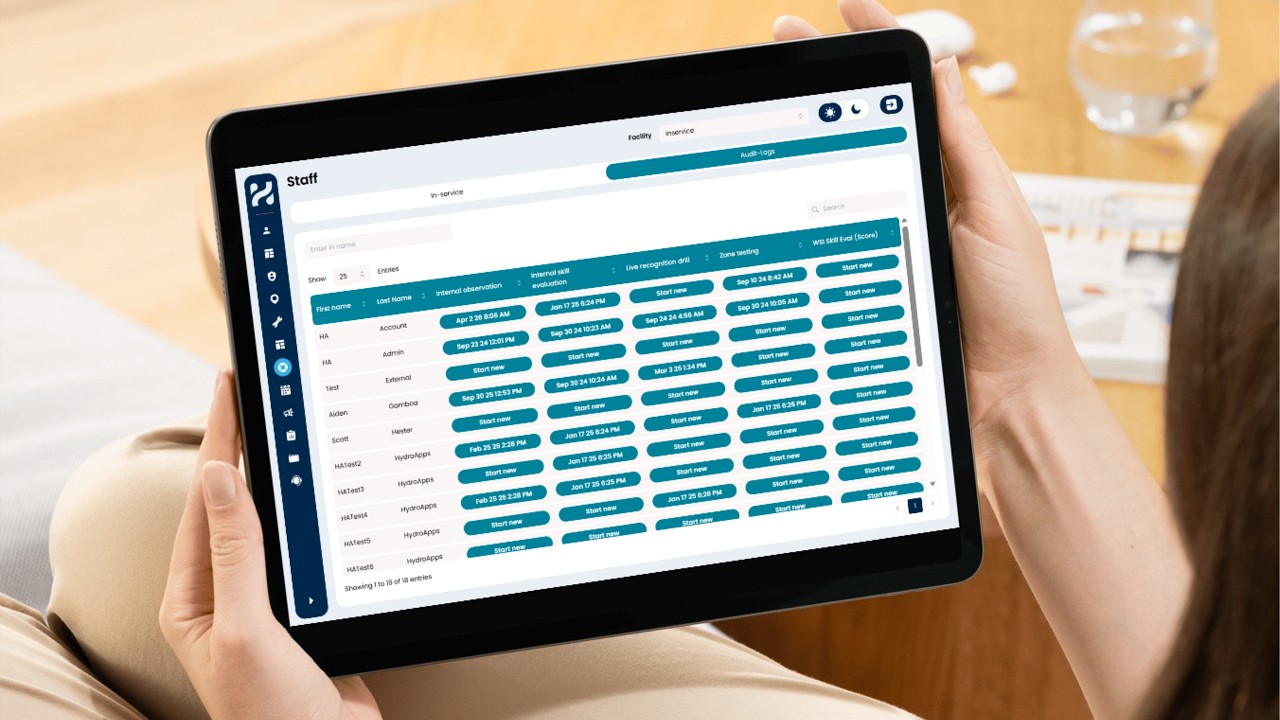
Staff Manager Audit Logs Update
HydroApps introduces updates to the Staff Manager page, improving how audits and in-service logs are organized. A new audit logs view provides a quick snapshot of staff audit status, including who needs evaluation and when audits were last completed. You can now start audits directly from this page, with automatic staff assignment and facility filtering for a faster, more streamlined workflow.


Facility Selector Update for Facility & Staff Manager Modules
Learn how the new Facility Selector in HydroApps helps you stay focused on the right facility by filtering checklists, pool tests, forms, and more. This update reduces errors, simplifies navigation, and keeps your daily workflow organized and efficient.


HydroApps Insights Dashboard & Reporting Guide
Master HydroApps Insights Dashboard, custom forms, and module reports to analyze trends, track compliance, and craft data-driven stories from your facility data. As HydroApps users, you know we’ve done a recent update to our software and with that has come some added new features like our Actions and Insights Dashboard. To recap how the Insights Dashboard works and to review what the basic settings are for Reporting, check out this Video Tutorial: Speaking of reporting, how

Password Management Update - Summer 2025
HydroApps has improved password management for Admins to boost security and streamline workflows. Admins can set or reset passwords without viewing them and send one-time reset links to users. Watch the video to see how to securely manage user credentials.

Form Management Update - Summer 2025
HydroApps' form management tool just got an upgrade! With an improved preview toggle, smarter question creation, and easier placement tools, building forms is now faster and more user-friendly. Watch the video walkthrough and explore these time-saving updates.

Updated Navigation Menu - Summer 2025
HydroApps has updated its navigation menu to be more user-friendly and mobile-friendly. The logout button is now in the top right, the collapsed menu is slimmer, and both standard and admin menus are reordered for easier access. Watch the video to see what’s changed and visit our Help Center for more support.
bottom of page